This is a lyric-video storyboard, not a lock screen, a phone background, or a desk setup. Use a song you wrote or have the rights to use. The mountain, the coat, and the path below are generic. Do not paste studio lyrics, and do not ask for a character or a frame from a film. Sound on Seedance 2.5 generates its own audio. It does not license a song, and it will not hit that song’s lyric.
3 NovDemo Day, on the studio lot
5AI companies in the cohort, per the Times
HoursDisney’s line for trying concepts, against weeks
On 3 November 2026 the Disney Accelerator held Demo Day on the Walt Disney Studios lot. Disney’s own note that day names five companies in the cohort. The Los Angeles Times, in a story the same day by Wendy Lee and Samantha Masunaga, says the whole cohort is made up of AI companies, and that one of them is the Bay Area startup OpenArt. Disney says OpenArt is working with Disney Music Group on visual concepts for lyric videos, taken from a song’s themes, mood, and emotional tone, so a team can try several ideas in hours rather than weeks. The Times adds the first song in that test: “Go the Distance,” from the 1997 animated film Hercules. OpenArt builds a storyboard preview. Disney iterates. OpenArt’s chief executive, Coco Mao, called it early exploration. The Times also says OpenArt routes across models including Kling, Google Veo, and Seedream, and that it has a tool for flagging possible intellectual-property problems.
Mark the feeling. Draw that frame. Do not draw the film.
The same Times story records the other half of the year. Disney and other studios have sued Midjourney and MiniMax, and in February Disney sent ByteDance a cease-and-desist over Seedance 2.0. The motion step on this page uses Seedance 2.5 inside VibePaper, on the mountain stills below. Naming a studio character in the prompt is how that still stops being yours. OpenArt’s own account of the work includes an IP flag. This guide is the storyboard shape — beats, stills, one grade, then motion — for a track you can actually use.
A sample sheet
Break the song before you generate
The times and the lines are a sample for a climb you replace with your own. They are not a released track. One beat is one feeling, one place, and one camera height. Four beats is enough for a short. A full song is the same sheet, longer.
0:12I start before the light.LeavingPaper Gen, then First / last frame
0:48The ridge does not get shorter.WorkPaper Gen, then Make it a video
1:36The cloud sits on the path.WeatherPaper Gen, then Make it a video
2:24I stop. The valley is enough.ArrivalPaper Gen, then Make it a video
Storyboard guide · 4 November 2026
Five moves, in order
The links set the model and the prompt. They do not set the ratio, the duration, the input mode, or Sound. Paper Gen reads the prompt once, then removes it from the address bar, so a reload will not wipe the next edit. There is no lyric-video template that performs this sheet. A Template is a scaffold you edit. A Skill is a reusable workflow. This job starts from the prompts below.
01
Mark the beats on a track you own.
Write a time, one line you wrote, and the feeling. Do not paste someone else’s lyric. If you do not have a recording yet, the sheet still works: the pictures are the plan, and you cut them to the track later.
02
Draw each beat in Paper Gen.
Seedream 5.0 is the default image model. Set Aspect ratio to 16:9 for a wide lyric video, or 9:16 for a short, before Generate. The same person, the same coat, and the same camera height belong in every prompt. “4 more like this” keeps that prompt and makes four variations. Paper Gen has no style chip.
03
Line the cards up on the canvas.
Continue in Canvas opens a board once the result has a stored file. Park the four stills in beat order. Read them as a row. If the coat, the backpack, or the horizon changed breed between cards, regenerate the one that drifted. Do not ask the video model to repair it.
04
Grade the row, or grade nothing.
Select an image card. Style is on the canvas generate row, and the presets live in Style library. A preset appends a fragment. It does not replace the path. One grade for every beat, or none. A grade on a single card makes the cut flicker.
05
Move one beat at a time.
Seedance 2.5 has two input modes, First / last frame and References. It does not have a multi-shot mode. A multi-shot lyric video is four separate clips, laid back on the canvas in order. First / last frame is for two stills of the same place. Make it a video switches to video and attaches that one still as a reference. It does not place a last frame. Set Duration to a fixed length. Auto is the default, and it is the wrong choice for a beat you will cut. Sound defaults to on. Turn it off if you will edit to your own audio. Put the words on in an editor. The model still invents letters.
Paper Gen has no style chip. The chip is on the canvas, and it appends a fragment at submit. Camera movement is a separate chip, video only. These beats are held frames, so leave that chip off. Push In dollies toward the person. Side Tracking slides past them. Either one fights a still that already set the frame.
Showa Retro
Cinematic. Warm old film, slight grain, a quiet mood. This is the grade if the four beats should share a film. Apply it to every card, or to none.
Western
Cinematic. Dust, a canyon, golden-hour light, leather. It rewrites the pre-dawn into a western. Leave it off unless the whole song is that dry gold, and then put it on every beat.
Dark Fairy Tale
Cinematic. Cold blue-grey, fog, a hard light through cloud. It fits the switchback and fights the last light. Leave it off for a matched row.
Fairy Tale
Cinematic. Storybook luxury and a magic atmosphere. It will try to add a figure. Leave it off.
Watercolor
Painting. Use it only if every beat should be a drawing instead of a photograph. Mix it with Showa Retro and the cuts will not hold. It softens the coat.
Pixar Character
CG. The fragment asks for a studio-animation character. These are wide photographs of a back. Leave it off, and do not name a known hero in the prompt either.
AI Realistic
Live-action. Pore-level skin and a 35mm close-up note. These frames are wide and the face is hidden. Leave it off.
Four beats
Same coat, same path, one feeling each
Generate the still before you ask for motion. Only the first beat uses First / last frame, because the landing still is the same path one step on. The other three are Make it a video: one still is the ingredient, not a start and an end. Do not stretch First / last frame from the ridge to the cloud. Those are different places, and the model will melt one into the other. Seedance walks between the two pictures you give it. It is not an editor cut on your chorus.
010:12Leaving
Mode: First / last frame.
Grade: off, or Showa Retro on both stills.
Camera: off.
Before the light
The first beat is a held path and one step. Draw the standing still, then the same path with the person one step further. If the ridge line moves, regenerate the landing still. Do not describe a song in the motion prompt.
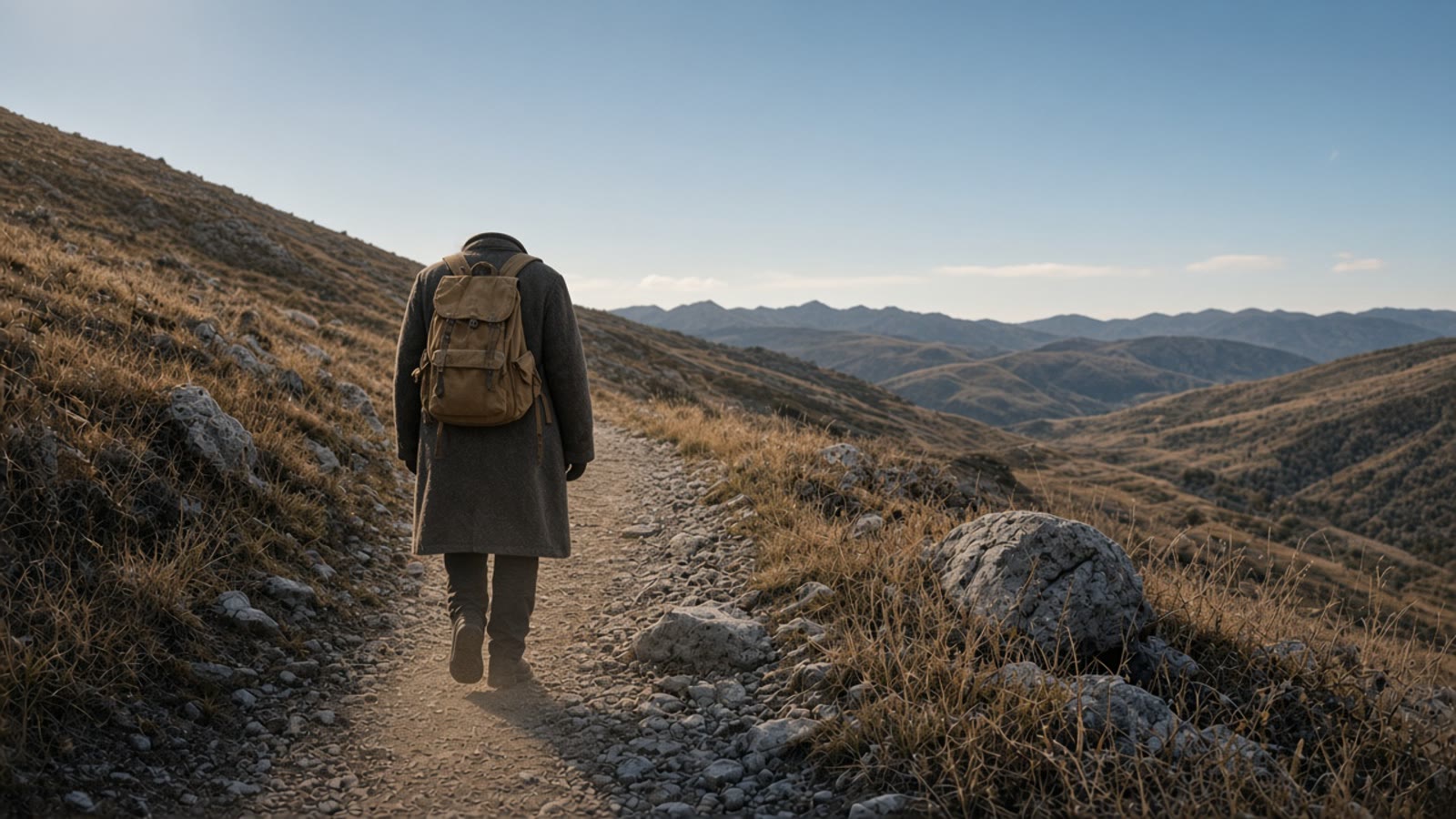
Standing. Paper Gen, Seedream 5.0. Set 16:9 yourself. Face stays hidden.
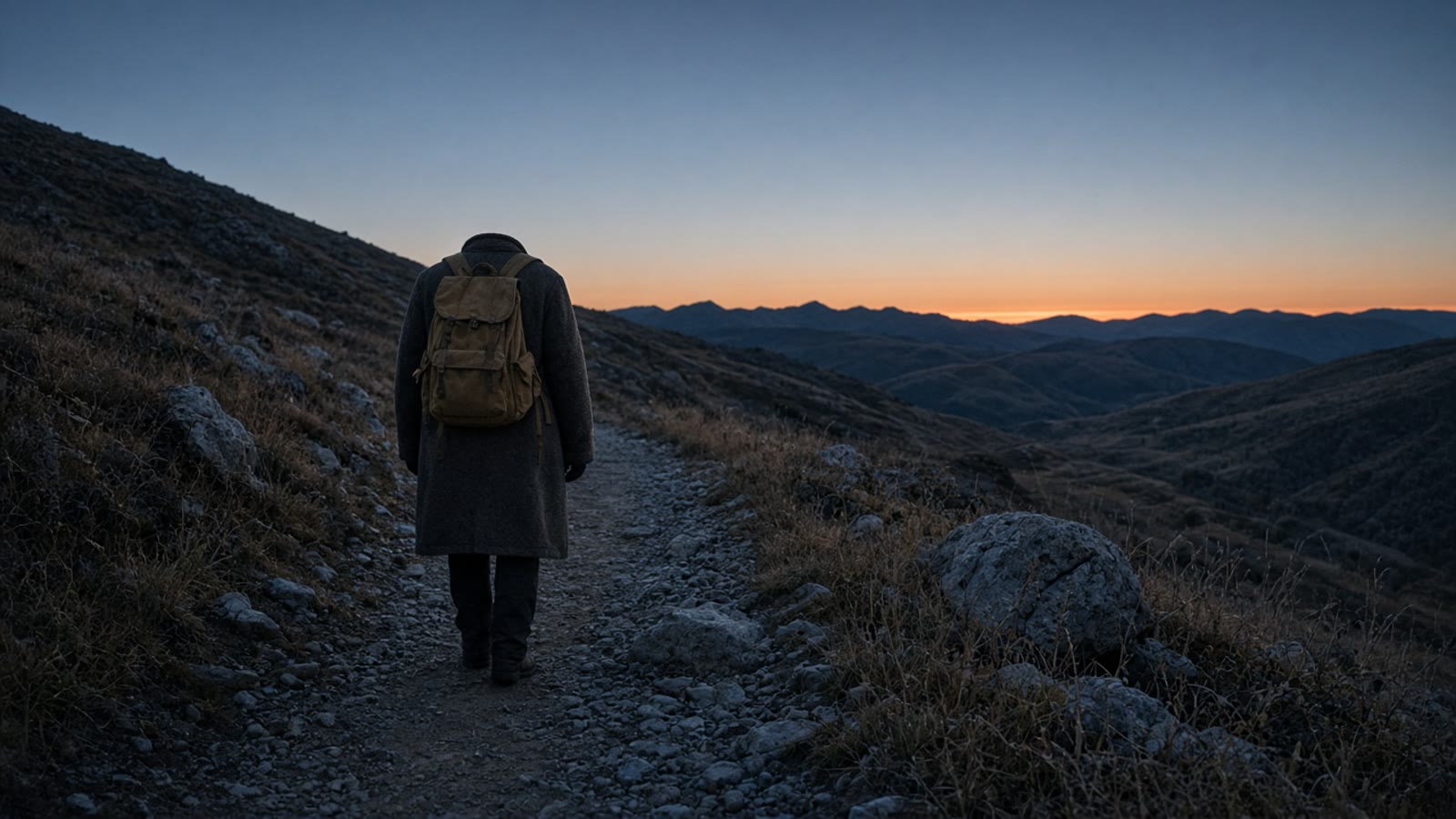
One step. Same light, same coat. Continue in Canvas and set the two cards side by side.
The step. Seedance 2.5, First / last frame. Duration 6 seconds, not Auto. Sound off if you will add your own audio. Swap frames if the slots land backwards.
First frame
A natural 35mm photograph, slight film grain, widescreen 16:9. Pre-dawn on an ordinary gravel mountain path. One original adult, seen from behind, face hidden, in a worn charcoal wool coat and a plain canvas backpack, standing still at the start of the path. Cool blue sky, a thin warm line on the far ridge. Dry grass, ordinary rocks. No text. No logos. No other people.
The same path, the same pre-dawn light, the same camera height. The same adult, the same charcoal coat, the same canvas backpack, now one step further up the path, still seen from behind, face hidden. The warm line on the ridge has not moved. No text. No logos.
Same camera height. A new angle becomes a different shot. There is no second photograph on this page: generate this still, then compare the ridge line on the canvas.
Locked camera. The person takes one slow step up the path. The coat and the backpack stay the same. The sky does not change. The person does not turn. No music. No lyric on screen. No text.
First frame is the standing still. Last frame is one step on. Ratio locks to adaptive. First / last frame does not take an audio clip.
Make it a video attaches this still as a reference. It does not set a last frame. Leave the composer on References. If you switch to First / last frame with only this picture, you do not have an end. Reference mode can also take an audio clip you own, up to ten, each between 2 and 30 seconds. That is guidance. It is not a promise the step will land on a word. Cut the picture to the track afterward.
The ridge. One still. Same coat, now mid-stride. Seedream 5.0, 16:9.
The row. On the canvas, this card sits after the pre-dawn pair. The backpack should still be the same backpack.
The walk. Make it a video. Duration 8 seconds. Sound off. Do not attach a last frame.
Still
The same adult, the same charcoal wool coat, the same canvas backpack, seen from behind, face hidden. Late morning on a dry rocky ridge, mid-stride, walking away. Dust in the air, ordinary rocks, a long valley to one side. Natural 35mm photograph, slight film grain, widescreen 16:9. No text. No logos. No other people.
One reference, not a pair. The walk is the prompt.
The person keeps walking away along the ridge at a steady pace. A little dust lifts at the boots. The camera holds. The person does not turn. No second person. No music. No lyric on screen. No text.
References mode. Duration 8 seconds. If Sound stays on, Seedance adds its own audio beside the picture.
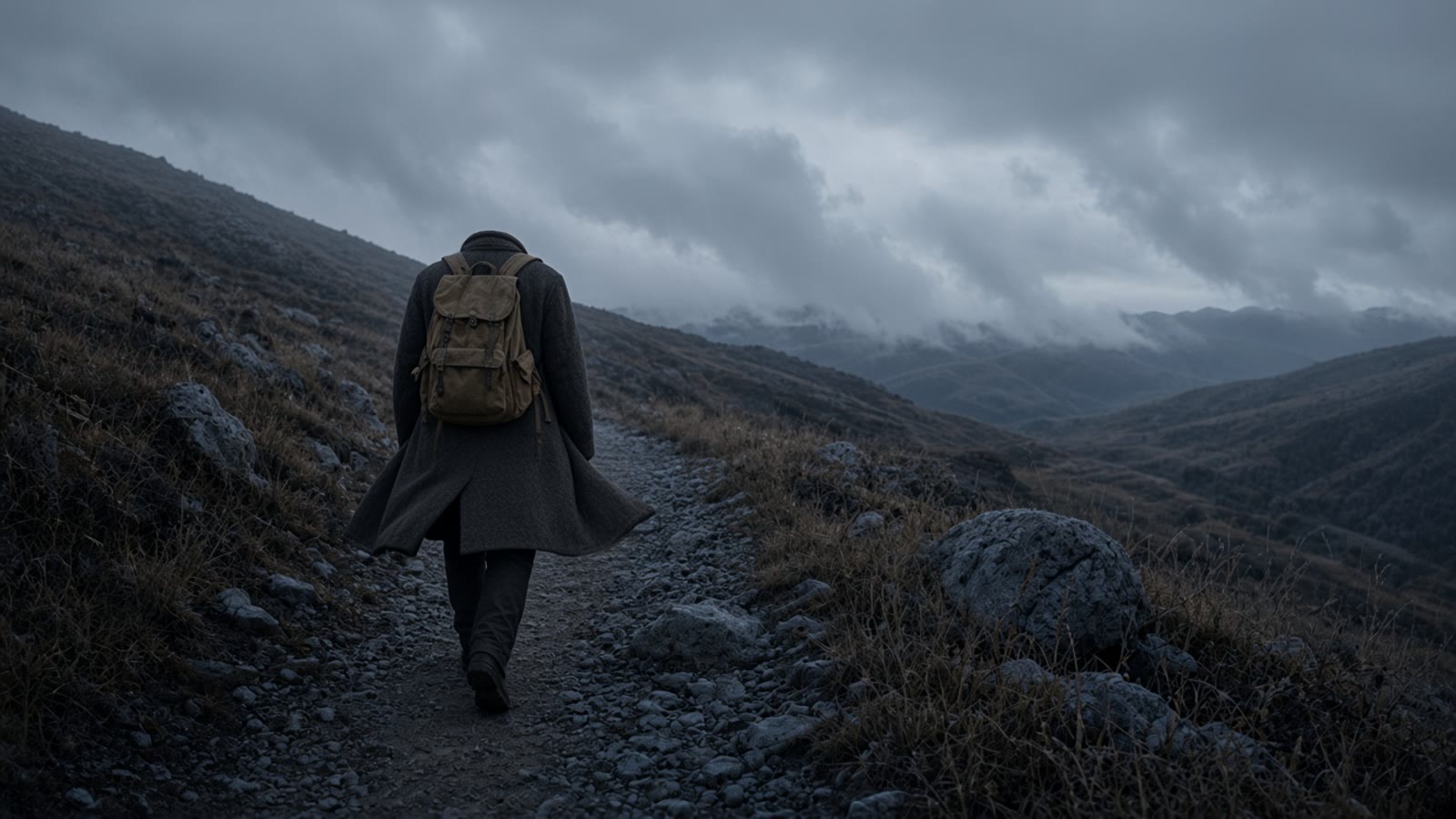
Dark Fairy Tale would cool this frame and then cool the last-light frame if you leave it on for the row. The weather is already in the still: grey cloud, wind in the coat. Do not add lightning in the motion prompt. A second event is a second beat.
The switchback. Same person, coat pulled by wind. Seedream 5.0, 16:9.
Match. On the canvas, the horizon should still belong to the ridge still. A new valley means a new character.
The wind. Make it a video. Duration 6 seconds. Sound off. Camera chip off.
Still
The same adult, the same charcoal coat, the same canvas backpack, seen from behind, face hidden, walking away up a gravel switchback. Low grey cloud on the slope, wind pulling the coat. Overcast, cold daylight, ordinary rocks. Natural 35mm photograph, slight film grain, widescreen 16:9. No lightning. No text. No logos. No other people.
No lightning in the prompt. The cloud is the beat.
Wind pulls the coat once. The person takes two steps up the switchback. The cloud stays low. The camera holds. No lightning. No turn. No music. No lyric on screen. No text.
Two steps and one pull of the coat. Not a storm montage.
The last beat is a hold. Arms stay down. A celebration pose is a different shot, and it breaks the back-view you have held for three beats. Western would turn the last light into a canyon poster. Leave it off if the row is on Showa Retro, or off entirely.
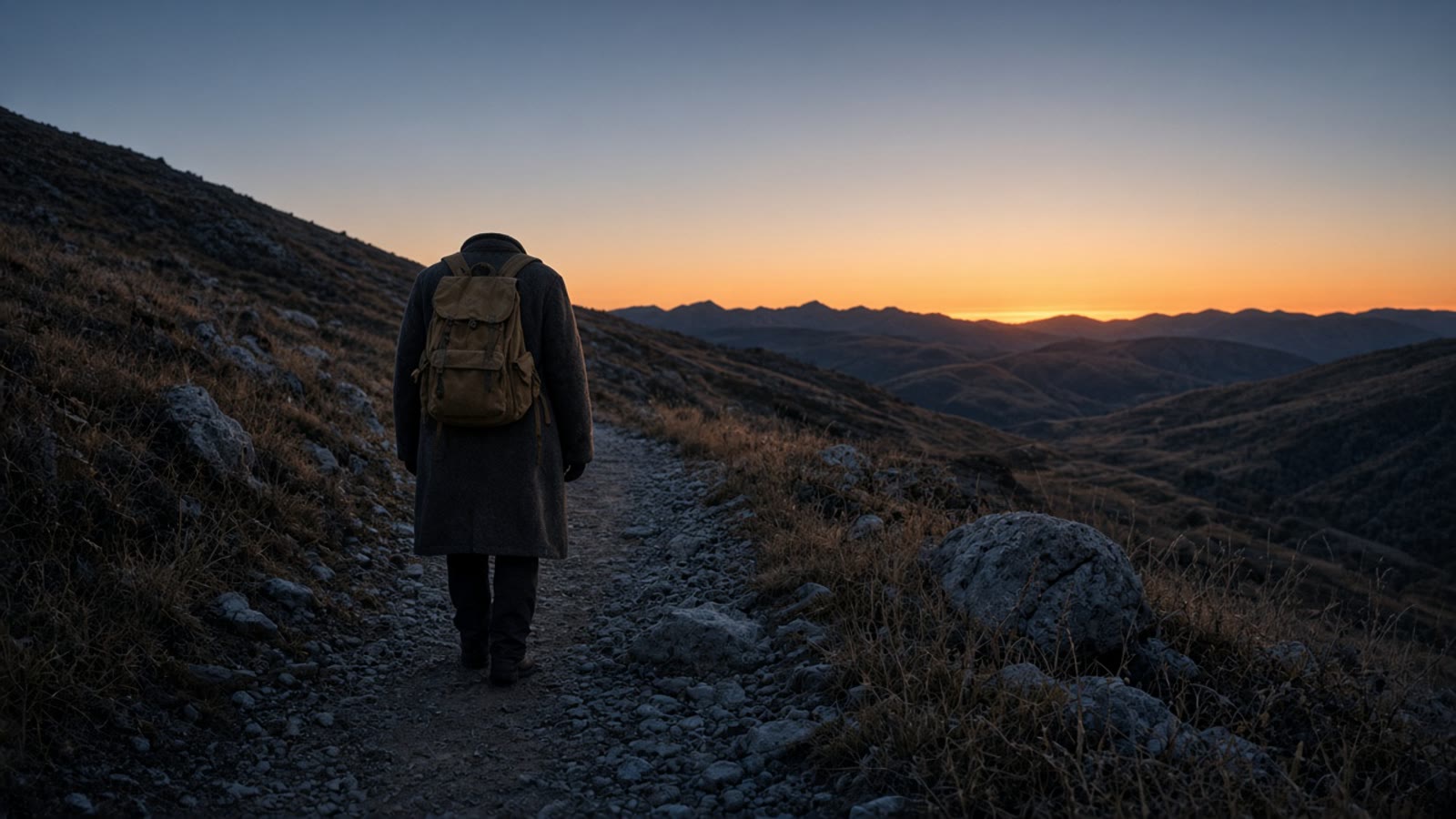
The shoulder. Same coat, person small, valley wide. Seedream 5.0, 16:9.
The row. Four cards, one grade. Read the coat across them before you generate motion.
The hold. Make it a video. Duration 6 seconds. Almost no action. Sound off.
Still
The same adult, the same charcoal coat, the same canvas backpack, seen from behind, face hidden, standing still, arms down, not celebrating. Last light on a mountain shoulder, a wide ordinary valley below, the sun low on the far ridges. The person is small in the frame. Natural 35mm photograph, slight film grain, widescreen 16:9. No flags. No text. No logos. No other people.
The person stays standing, arms down. Grass moves a little in the wind. The light does not jump. The camera holds. No arms raised. No turn. No music. No lyric on screen. No text.
A hold with a little wind in the grass. Do not ask the person to turn and sing.
Seedream 5.0 for the stills. The canvas to see if the coat agrees. Seedance 2.5, one clip per beat, to move them. Leave the studio song out of the upload, and put your own lyric on in the edit.
The dates, the song title, the model names, and the quotes below are the ones those pages published, read in our words. Nothing here is a VibePaper benchmark, and the sample lines on the sheet are not from a released recording.
Can I use “Go the Distance,” or a frame from Hercules?
No. The Times reports that song as the first concept inside Disney’s own test. This page does not. Use a song you wrote or have rights to, and the generic mountain prompts above. Do not name a studio character, and do not upload a frame from the film.
Will Seedance sync the picture to my lyric?
Do not count on it. Sound defaults to on and generates audio with the picture. It does not license your song, and it will not punch words onto the frame. In References mode you can attach up to ten audio clips you own, each 2 to 30 seconds. That is a reference, not a beat lock. First / last frame does not take audio. Turn Sound off and cut the clips to the track in an editor.
Does the link set 16:9 and the duration?
No. The link sets the model and the prompt. Set Aspect ratio yourself on the stills. On First / last frame the video ratio locks to adaptive. Set Duration to 6 or 8 seconds. Auto is the default.
Does Make it a video attach a first and a last frame?
No. It switches to the video composer and attaches that one still as a reference. Add a last frame yourself only when you have a second still of the same place, and switch the mode to First / last frame.
Can one prompt play the whole song?
No. Seedance 2.5 has no multi-shot mode. Each beat is its own clip, from 4 to 30 seconds. Lay the four clips back on the canvas in order. A prompt that asks for leaving, weather, and arrival at once will invent a montage.
Is this a wallpaper?
No. This is a storyboard for a lyric video. The stills are frames in a sequence, not a lock screen.