






Skip to content
VibePaper
Velic, a round powder-blue bird in black headphones, perched on a laptop at night with soft chat bubbles on the screen

Field guide · 29 October 202611 min read

Personal AI Agent Guide: Set Up Velic to Search and Create

A personal AI agent you name, message and @ in a chat thread. It searches the web, reads your files, makes images, and hands bigger jobs to the canvas. Here is how to set it up, and six tasks to give it first.

Where
Paper Chat · Meet Velic
Setup
Name, companion, model
Reach
Web, files, images, canvas
Cost
Replies use your points

Personal agents are this year’s product story. On 26 October 2026 TechCrunch described the always-on AI personal assistant as this year’s answer to how people will actually use large models, and noted how many companies now give their agents a mascot. Twelve days earlier, Gartner published research telling application leaders to let personal agents run, but under strict human oversight, as risks around access, security, token use and compliance grow. Velic sits at the other end from an agent that watches your inbox. It is a creative assistant agent you talk to in a thread: you ask, it works through a few tool steps, and it answers in the same chat.

The best personal agent is not the one that can touch everything. It is the one whose reach you can explain in a sentence.

Velic lives in Paper Chat on VibePaper. It works when you message it or @ it, with what is in the thread and on the public web. It does not read your email, your calendar or your computer. That is the trade: less reach than an always-on assistant, and a much shorter list of things you hand over.

Behind one reply
  1. You@Velic what changed in AI video this week? Make me a poster about it.
  2. Step 1TOOL web_search AI video model releases this week
  3. Step 2TOOL fetch_url the most useful result
  4. ReplyFive bullets with links, then GENERATE_IMAGE aspect=3:4

You see the answer and the poster, not these lines. Each step runs up to three tools; after six steps Velic has to answer. Send a new message mid-reply and the newer one wins.

Checklist

How to choose the best personal agent for you

There is no single best personal agent. There is the one whose answers to these six questions you are comfortable with. Here are Velic’s, taken from how it is built.

How to choose the best personal agent for you
Ask any agentVelic’s answer
Where does it live?In Paper Chat on VibePaper, as a bot you create. Talk to it one to one, or add it to a group with people and other bots.
What can it reach?The public web, files and images posted in the chat, VibePaper’s image models, and Paper Agent on the canvas. Not your email, calendar, computer, or private network addresses.
When does it act?When you message it, or @ it in a group. It does not start work on its own. A canvas job it hands off keeps running in the background and reports back.
What does it remember?Recent messages in the thread, plus long-term notes it writes when something is worth keeping: a preference, a fact, a task in progress. It deletes a note when it goes stale.
Can you teach it?Yes. Give it a GitHub repo and it installs a SKILL.md, loads it in full when a task needs it, and uninstalls it on request. Skills cannot add tools, run code or ask for secrets.
Who pays?Replies are charged to points at the model you chose when you created the bot. The model stays locked for that chat. In a group, whoever @s the bot pays.

Toolkit

What Velic can actually do

Every card is a tool or action in Paper Chat’s agent today. If it is not here, Velic cannot do it yet.

  • web_search

    Search the web

    Looks up current facts and news. Results come back as titles, links and snippets.

  • fetch_url

    Read a page

    Opens one public http or https page and reads its text. Private and internal addresses are refused.

  • read_chat_file

    Read your files

    PDF, Word, Excel, PowerPoint and plain text posted in the chat. Save old .doc, .xls and .ppt files in the newer format first.

  • GENERATE_IMAGE

    Make or edit an image

    One image per reply, in a ratio like 1:1, 16:9 or 3:4. Attach a photo, or point at one it just made, and it edits that image.

  • video

    Watch a video

    On a Gemini-series model it sees and hears a clip you send and breaks it down shot by shot. Other models say they cannot.

  • ask_paper_agent

    Hand off to the canvas

    Image sets, videos, short dramas and product shots go to Paper Agent on a new canvas. Results and the canvas link come back to the chat.

  • memory_write

    Remember

    Writes short long-term notes about stable facts and preferences, and forgets them when they go stale.

  • install_skill

    Learn a skill

    Installs a SKILL.md from GitHub, reads it in full only when needed, and removes it when you ask.

  • consult_bot

    Ask another bot

    In a one-to-one chat, privately asks another of your bots, tells you who it is asking, and folds the answer in.

Setup

Set up your personal agent in five steps

It takes about a minute. One small thing worth knowing: move your pointer over the Messages panel and Velic notices you and looks up.

  1. 01

    Open Paper Chat.

    Choose Meet Velic in VibePaper’s top navigation, or use the button on this page, and sign in. Replies use points, so Paper Chat needs an account.

  2. 02

    Create a bot.

    Choose New bot. On an empty screen Velic offers to wait while you name one.

  3. 03

    Pick a companion and a name.

    Six companions give your bot its look. Velic, in headphones, is the default. Name it anything; you can ask it to rename itself later.

  4. 04

    Pick the model.

    The model chips come next. The choice stays locked for that chat. Choose a Gemini-series model if you plan to send videos.

  5. 05

    Give it one plain task.

    Start with one of the six below. If the task needs a file or an image, attach it in the same message.

The six companions you can choose
  • Music
  • Editing
  • Painting
  • Calling
  • Shopping
  • Photography

Six tasks

Six things to ask your AI personal assistant agent first

Each task maps to tools Velic really has. Copy the prompt, open Paper Chat, and paste it into your bot. Where a task continues in Paper Gen, that link opens with the prompt already filled in.

Velic surrounded by floating, glowing web page cards linked by threads of light

01Research

Catch up on a topic, then turn it into a poster

You missed a week of news in your field and want a one-page visual you can share with the team.

  • web_search
  • fetch_url
  • GENERATE_IMAGE
  1. Velic searches, then reads the two or three pages that matter.
  2. It answers with a short summary and the links it used.
  3. In the same reply it makes a 3:4 poster from that summary.
Prompt

Search the web for what changed in AI video generation this week. Read the two most useful sources, give me five bullet points with links, then make a 3:4 editorial poster that sums it up. No logos, no real people.

Each bot can run ten searches and ten page reads a minute. Ask for links so you can check every claim.
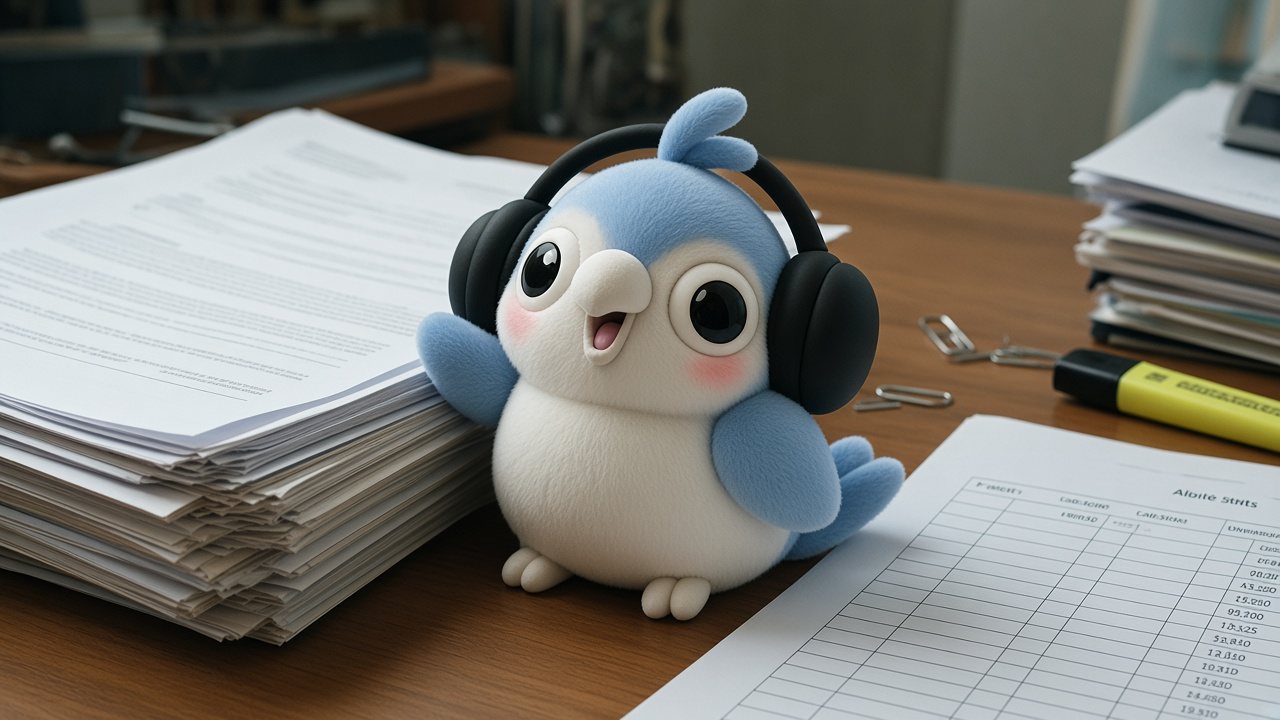
Velic sitting on a stack of printed documents under a warm desk lamp, one page glowing as it is read

02Documents

Read a brief and pull out what matters

A client sent a long PDF and a spreadsheet of deliverables. You need the decisions, not the prose.

  • read_chat_file
  1. Post both files in the chat, then ask.
  2. Velic reads the text it extracts from each file. PDFs are read up to 200 pages.
  3. It answers in the shape you asked for.
Prompt

Read the brief PDF and the deliverables spreadsheet I just sent. List every deadline, every hard requirement, and anything the two files disagree on. Keep it to one screen.

Each read sees about 12,000 characters of text. For a long document, ask about one section at a time.

Velic in headphones leaning over a light table, studying a strip of film frames

03Video

Break down a reference clip, shot by shot

You found a clip whose pacing you want to learn from before you make your own.

  • video
  • GENERATE_IMAGE
  1. Use a bot on a Gemini-series model and send the clip.
  2. Velic lists each shot: rough timecode, framing, camera move, what is on screen, sound, and the cut.
  3. Ask for one shot as a still and it makes that frame.
Prompt

Break this clip down shot by shot: rough timecode, shot size, camera move, what is in frame, sound, and how each cut lands. Then tell me which two shots carry the pacing.

On a model that cannot read video, Velic says so and suggests a Gemini bot instead of inventing a description.

Velic, seen from behind, looking up at a huge dark wall of glowing image and storyboard panels connected like a graph

04Canvas

Hand a multi-shot job to Paper Agent

You want a set of product shots or a short storyboard: more than one image in a chat bubble can hold.

  • ask_paper_agent
  • job_status
  1. Velic writes the brief and hands it to Paper Agent on a new canvas.
  2. Paper Agent plans and generates the images or video in the background.
  3. The results and a link to the canvas come back to your chat. Ask how it is going in the meantime and Velic checks the job.
Prompt

Hand this to Paper Agent on a canvas called "Lamp launch": four product shots of a matte black desk lamp. One hero on a dark desk, one close-up of the switch, one at night beside a laptop, one top-down flat lay. Same lighting in all four.

Single images stay in the chat. Sets, videos and short dramas go to the canvas, where you can keep editing them.

05Habits

Teach it how you work, once

You keep repeating the same preferences, and your team’s process is already written down in a GitHub repo.

  • memory_write
  • install_skill
  • load_skill
  1. Tell Velic a stable preference and it writes a long-term note.
  2. Give it a GitHub repo and it installs the SKILL.md. If the repo holds several, it lists them so you can name a path.
  3. Next time the task comes up, it loads the skill in full before following it.
Prompt

Remember: I write for a Singapore audience in British spelling, and every image I ask for is 4:5 unless I say otherwise. Then install the skill from your-org/brand-skills and use it when you write captions.

Replace your-org/brand-skills with a real repo. Skills are guidance, not code: Velic will not run scripts from one, read secrets, or invent tools.

06Groups

Put it in a group with your team

Three people and two bots in one thread, each with a job.

  • @mention
  • INVITE_BOT
  • consult_bot
  1. Create a group and tick which bots join. No default agent is forced in.
  2. In a group a bot replies only when someone @ mentions it, and that person pays the points.
  3. Ask Velic to bring another of your bots in and it invites it. In a one-to-one chat, it can consult that bot privately instead.
Prompt

@Velic invite Copybot to this group. Then give us three headline options for the lamp launch, and make a 16:9 banner for the one we pick.

Swap Copybot for the name of one of your bots. Each person who @s a bot pays for that reply.

Limits

Know the edges before you rely on it

Clear limits are what make a personal agent trustworthy. These are Velic’s, from the code that runs it.

Steps
Up to six tool steps per reply, up to three tool calls in each. Then it answers.
Web
Ten searches and ten page reads per minute per bot. Public http and https pages only.
Files
PDF, .docx, .xlsx, .pptx and text, up to 100 MB each. About 12,000 characters per read; PDFs stop at 200 pages.
Images
One image per reply, from VibePaper’s image models. Ask for a model it does not have and it says so, then picks the closest.
Video
Readable on Gemini-series models. Other models decline rather than guess.
Interruptions
Send a new message while it is working and the newer message wins.
Reach
No email, calendar, desktop or private network. Skills cannot run code or read secrets.
Cost
Replies use the sender’s points, at the model chosen when the bot was created.

Name your agent tonight.

Open Paper Chat, create a bot, keep Velic’s headphones or pick another companion, and send it the first task on this page.

Paper Chat links do not carry a prompt. Copy one from this page, then paste it.

Open Velic in Paper Chat

Keep going

Sources

Trend context comes from TechCrunch (26 October 2026) and a Gartner research abstract (14 October 2026), summarised in our words. Everything Velic does on this page comes from the current Paper Chat agent and bot setup in VibePaper.

Questions

What is a personal AI agent?

An assistant that does multi-step work with tools instead of only answering. Velic is one: it searches, reads pages and files, makes images and hands jobs to a canvas, all from a chat thread you control.

Is Velic an always-on assistant?

No. It acts when you message it or @ it, and it does not read your email, calendar or computer. Canvas jobs it starts do keep running in the background and report back to the chat.

How much does Velic cost?

Replies are charged to your VibePaper points at the model you picked for that bot. In a group, whoever @s the bot pays. If points run out, Paper Chat says so, and you can retry the reply after adding more.

Can Velic browse the web?

It can search and then read public pages, up to ten of each per minute. It cannot sign in to sites or open private addresses.

Can Velic make videos?

Not inside a chat bubble: in chat it makes one image per reply. For video it hands the job to Paper Agent on a canvas, or you take a prompt to Seedance 2.5 in Paper Gen.

Which is the best personal agent?

The one whose reach you can explain. Run the six-question checklist on this page against any agent. If your work is research, documents, images and video, Velic is built for exactly that inside VibePaper.

Can a link open Velic with my prompt filled in?

Not yet. Paper Chat links open the app without a prompt, so copy one from this page and paste it. The Paper Gen links on this page do carry their prompt.

Blog